AetherSync for Windows

Your AION 2
companion.

See live DPS and skill breakdowns, then plan your next craft with material counts that update while you play.

Windows 11 · 64-bit

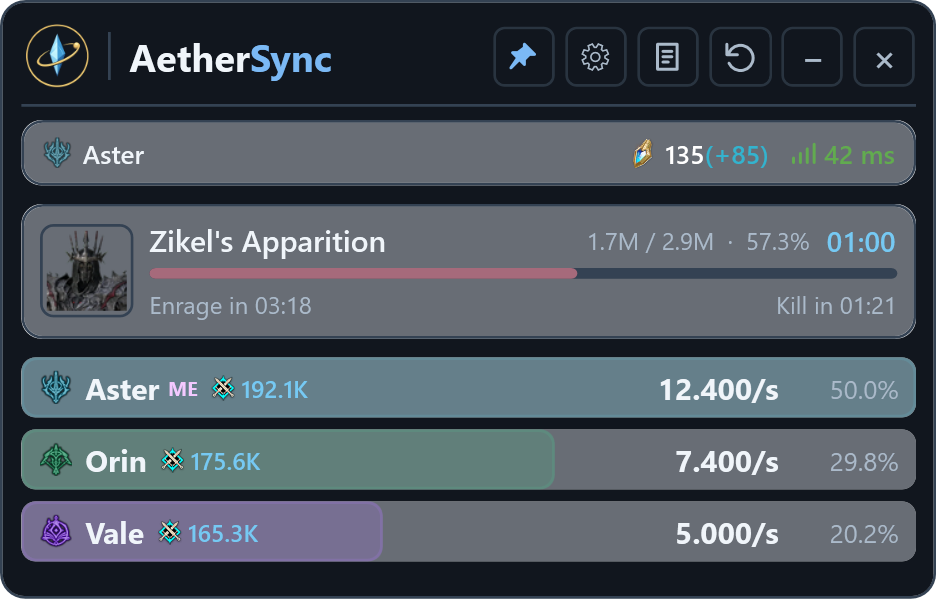
AetherSync’s DPS Meter shows Zikel’s Apparition at 57% health, with three players ranked by DPS and damage share.
DPS Meter · Sample encounterView full size

Combat and crafting

DPS Meter

See each player’s DPS, total damage, and share of observed damage as the fight unfolds.

Skill breakdowns
Select a player to see damage per skill, hit counts, and critical rates.
Fight history
Review saved encounters and compare your DPS with your personal best for the boss.
In-game overlay
Pin the meter above the game and adjust its opacity or enable click-through.
Real-time crafting

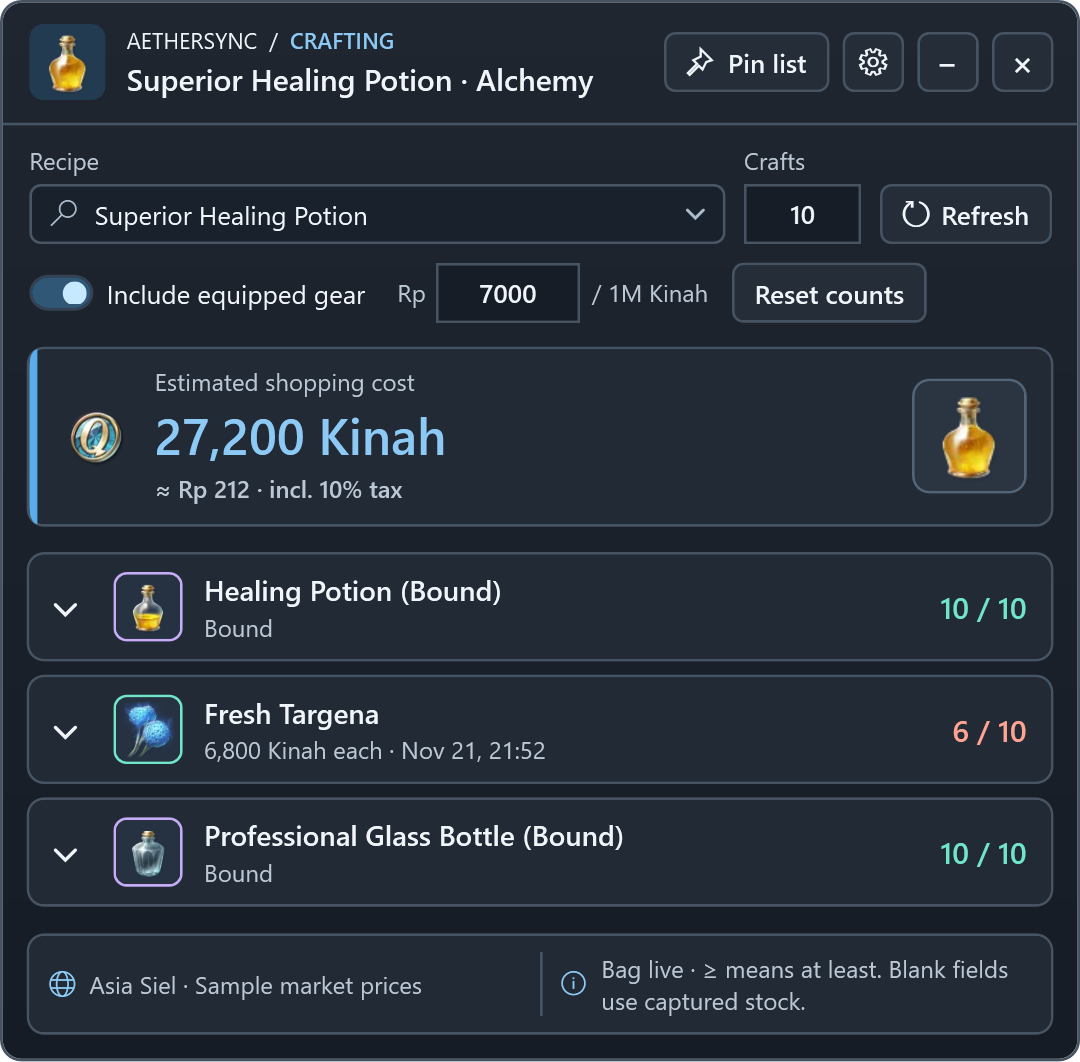
Choose a recipe and quantity. As AetherSync observes changes in your bag or storage, it updates what you have and what you still need.

Buy or craft
Compare market quotes with the cost of crafting components when prices are available.
Pin your materials
Keep a compact list of purchases, withdrawals, and bound materials beside the game.
AetherSync’s crafting planner for 10 Superior Healing Potions shows six of ten Fresh Targena in stock and an estimated shopping cost of 27,200 Kinah.
Real-time crafting · Sample recipe and inventoryView full size

Download AetherSync

Portable ZIP for Windows 11 x64. The .NET Desktop Runtime is included.

The release ZIP is not available yet.

Get started

  1. Extract the ZIP

    Keep aethersync.auth.json alongside AetherSync.exe.

  2. Open AetherSync and sign in

    Use Discord to access the features enabled for your account.

  3. Set up live capture

    Install Npcap separately, then start AION 2. Npcap 1.90 or later is recommended.